qbittorrent官方推荐docker compose分享
如何创建?
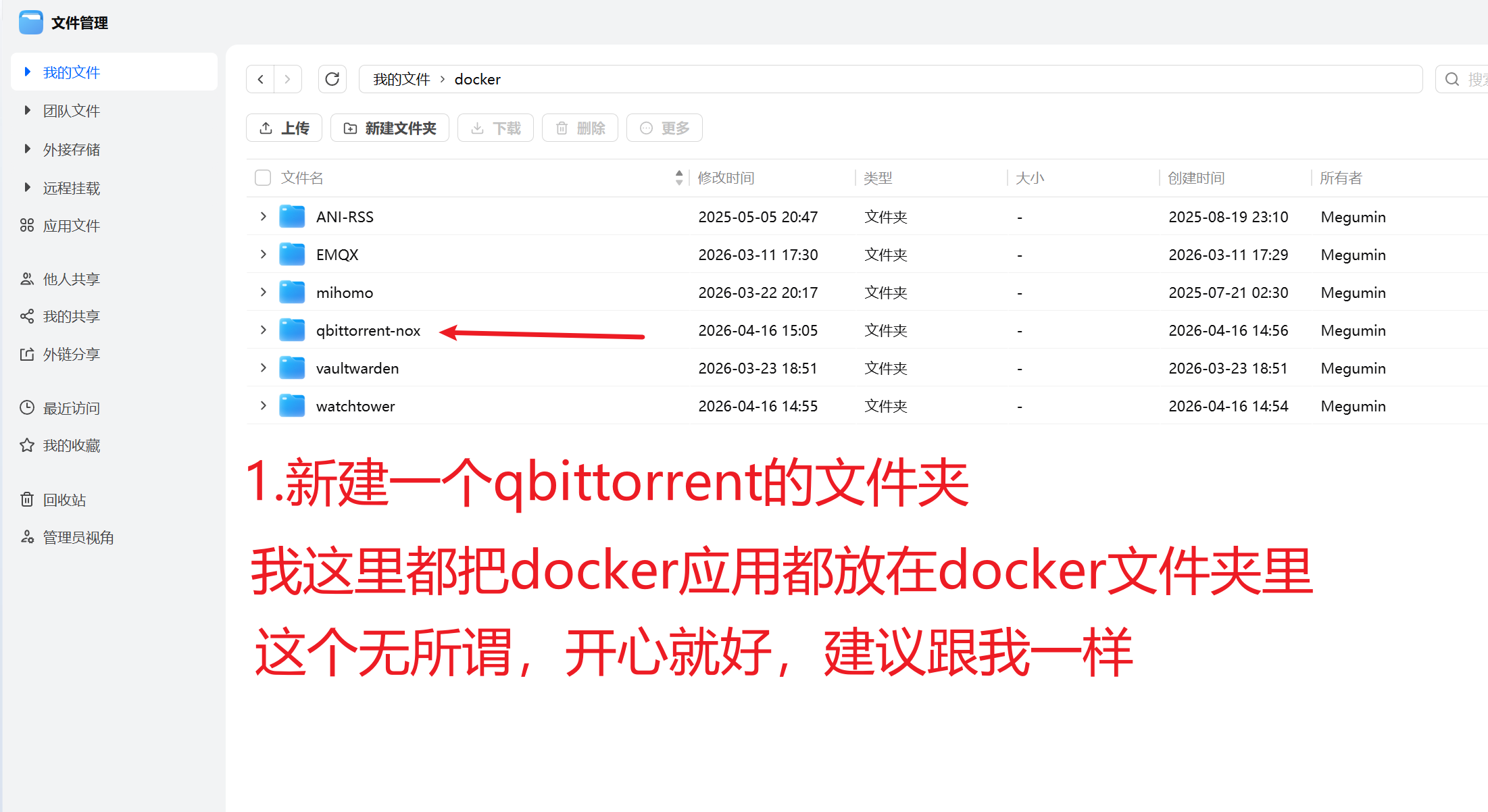
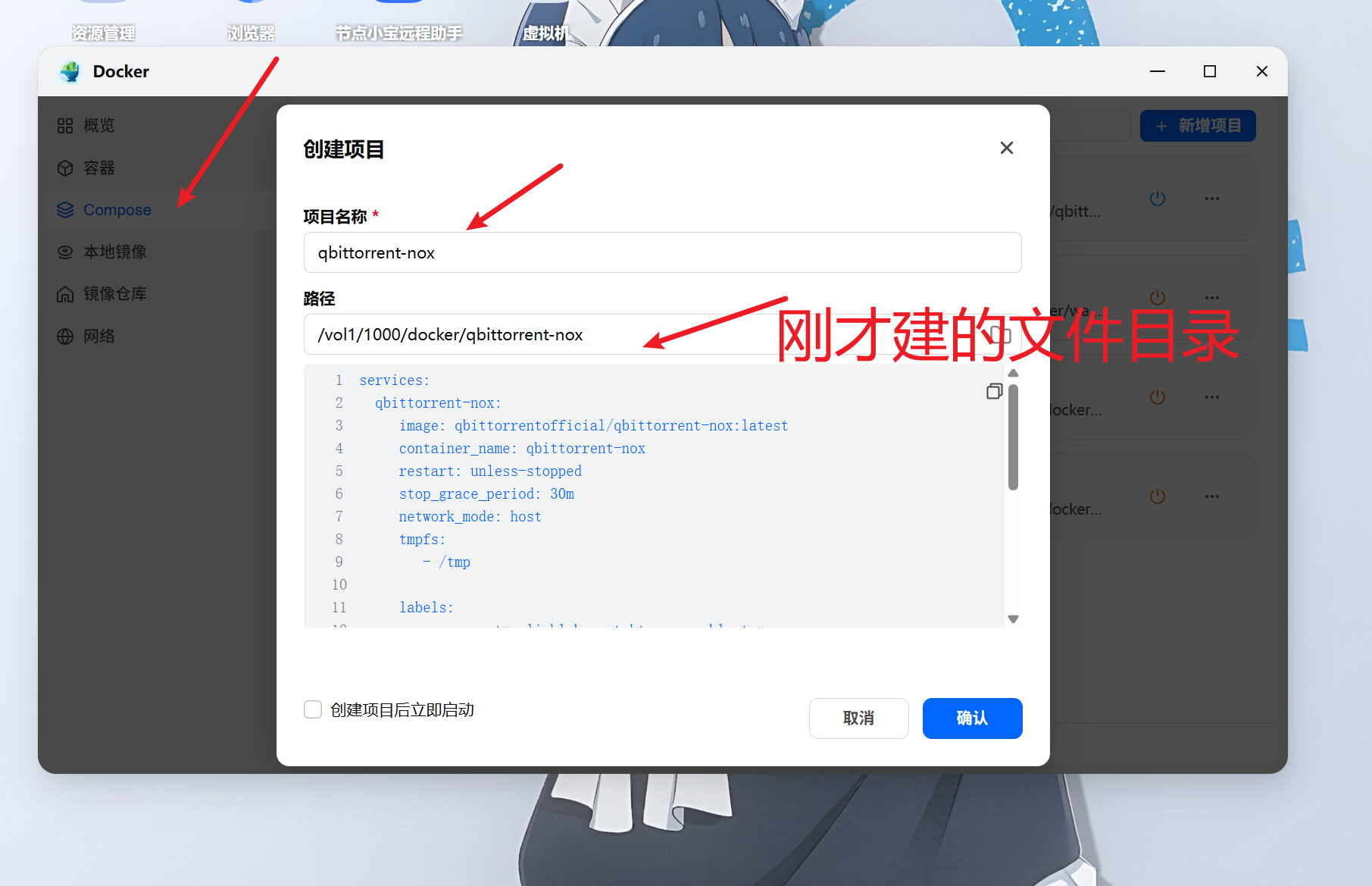
services:
  qbittorrent-nox:
    image: qbittorrentofficial/qbittorrent-nox:latest
    container_name: qbittorrent-nox
    restart: unless-stopped
    stop_grace_period: 30m
    network_mode: host
    tmpfs:
      - /tmp

    labels:
      - com.centu**inklabs.watchtower.enable=true

    environment:
      - TZ=Asia/Shanghai
      - PUID=1000
      - PGID=1001
      - QBT_LEGAL_NOTICE=confirm
      - QBT_TORRENTING_PORT=6881
      - QBT_WEBUI_PORT=8085
    volumes:
      - ./config:/config
      - ./downloads:/downloads
      - /vol2/1000/Media:/Media
注意了!!!看着最后一行/vol2/1000/Media:/Media
这是我自己多加的,这里举例子/vol2/1000/Media是我自己存媒体的目录,qbittorrent要往别的路径下载东西就得映射,/vol2/1000/Media是我自己的目录映射到了容器内/Media。这时候qbittorrent下载的时候路径填写/Media就是我自己的媒体目录了。/vol2/1000/Media这一长串地址在飞牛文件管理其中选择你的文件夹右键点击属性就有的复制。
关于docker-compse容器的自动更新,这边建议使用watchtower
同理
services:
  watchtower:
    image: containrrr/watchtower
    container_name: watchtower
    restart: unless-stopped
    volumes:
      - /var/run/docker.sock:/var/run/docker.sock
    environment:
      - TZ=Asia/Shanghai
      - WATCHTOOWER_CLEANUP=true
      - WATCHTOOWER_POLL_INTERVAL=86400   # 每天检查一次
      - WATCHTOOWER_LABEL_ENABLE=true     # 只更新带 label 的容器
把watchtower容器也创建了。这个容器会检测带
labels:
  - com.centu**inklabs.watchtower.enable=true
的docker-compose,有这个标识的就会自动更新,以后有其他的docker-compose项目也是只要加个labels就行了。
这里qbittorrent端口为8085,不要改成8080,(把商店里的qbittorrent卸载了),可以改成其他的。
密码在哪里?
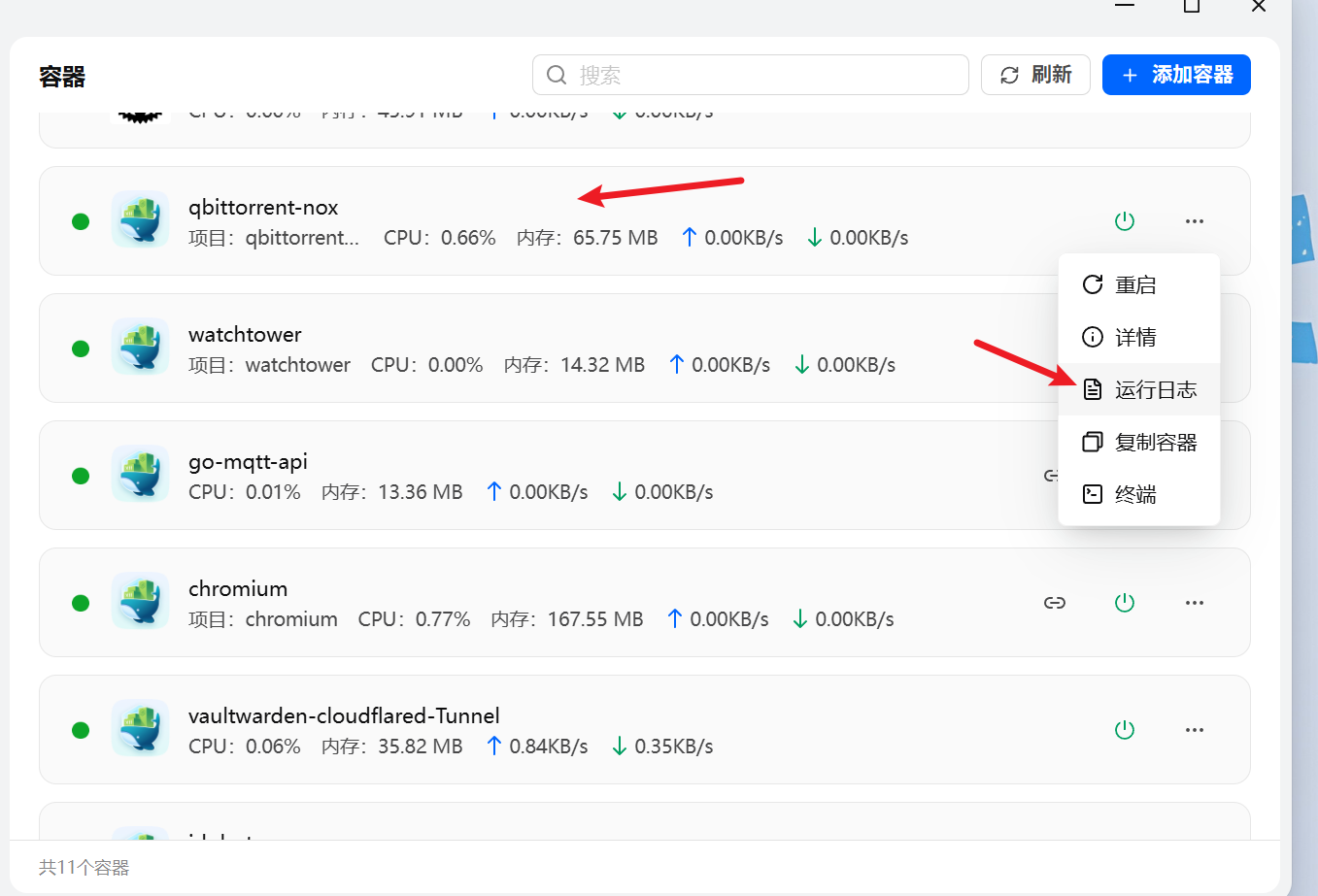
初始密码查看容器运行日志可获取,用户名默认是admin,登录后可进后台改




 2026-4-18 02:11:32


 2026-4-22 15:34:47 楼主
