偶然发现第三方的应用的cgi地址的端口官方的一致, 这才有了向顶层页面注入脚本, 实现自定义功能的机会
功能: 移动端浏览器可以切换全屏状态; 移动端浏览器显示底部设置按钮; 扩展文本编辑器的可编辑范围;
缺陷: 只能在浏览器上生效; 没有持久化,每次刷新页面后都要手动触发; 基于fnOS1.1.23, 版本更新后部分功能会失效; 桌面的图标可能会显示不全; 简单测试,暂时未发现其他影响;
效果
- 修改前界面
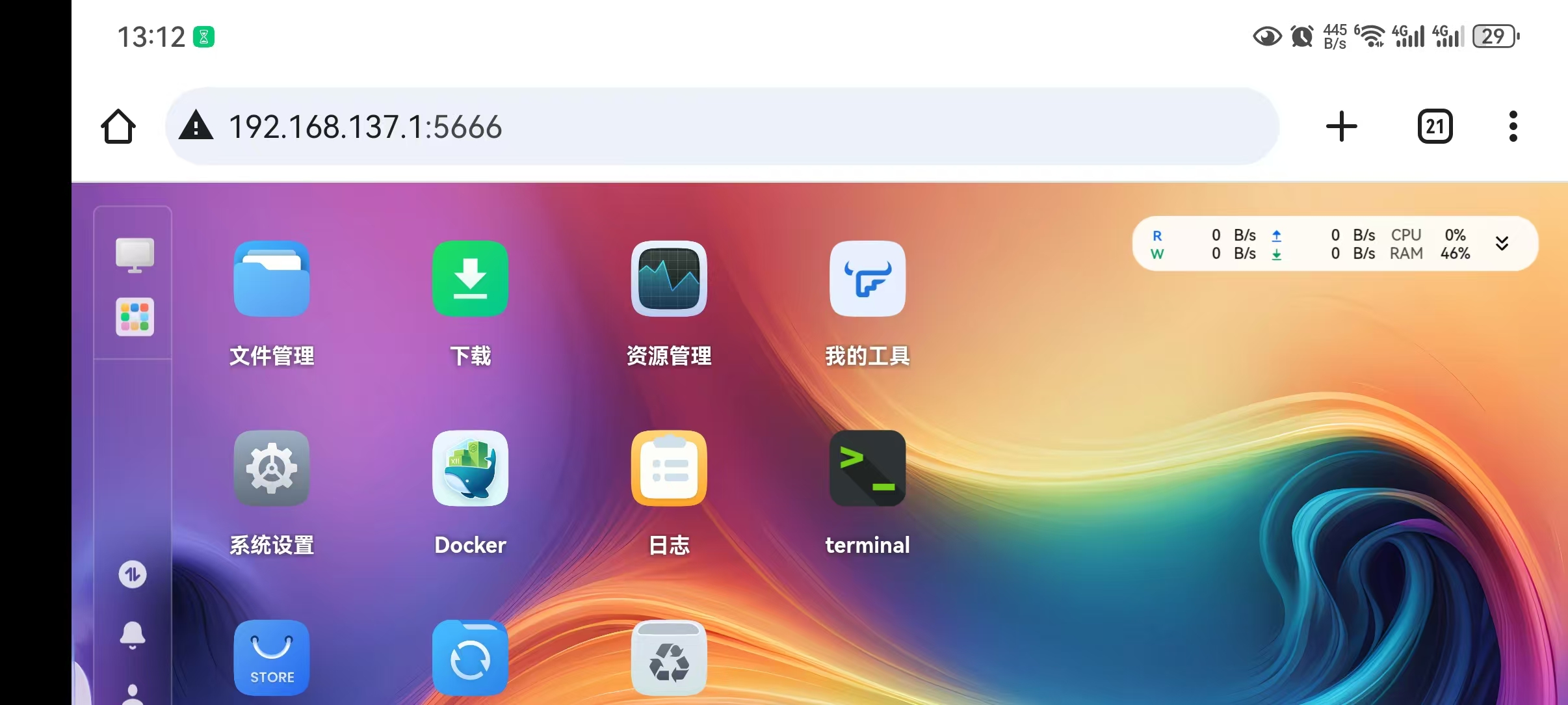
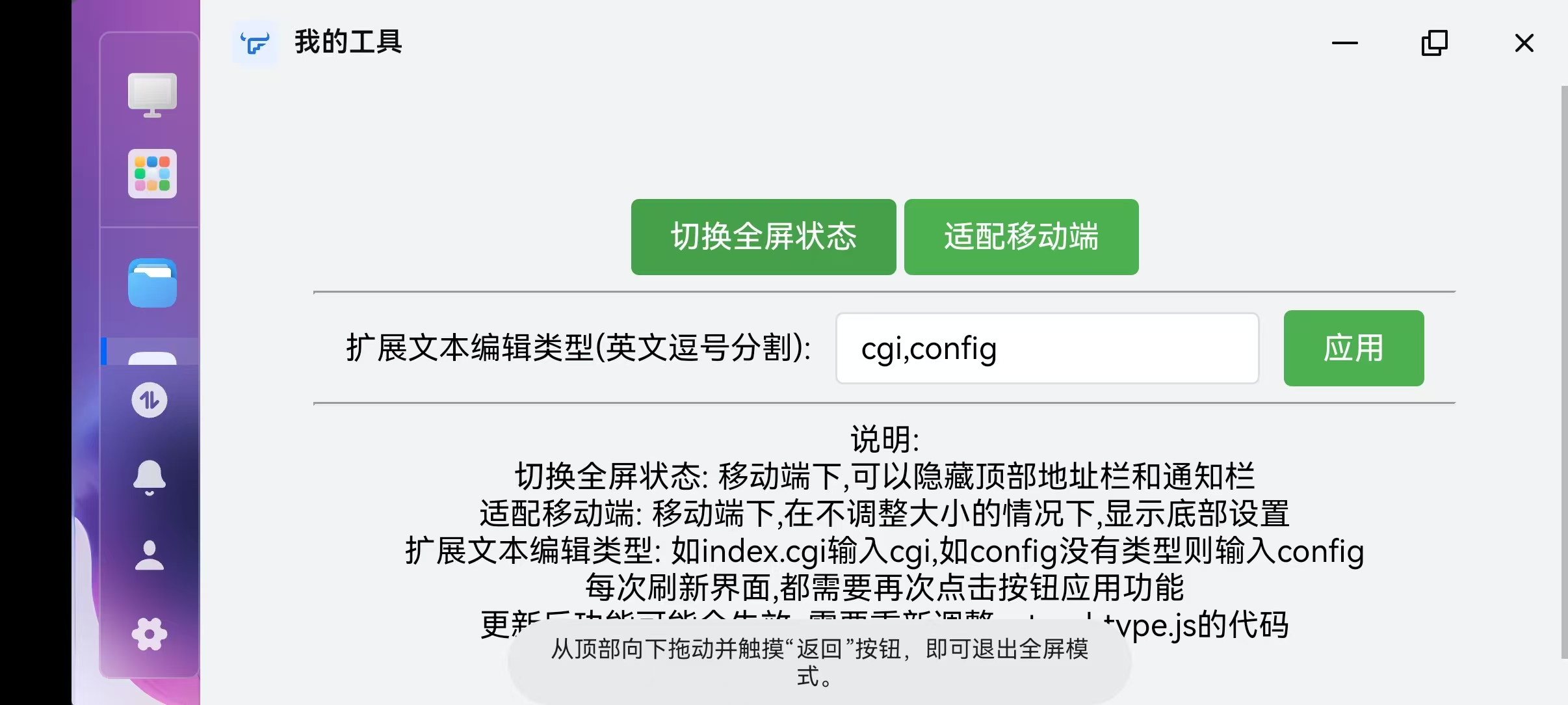
- 工具界面
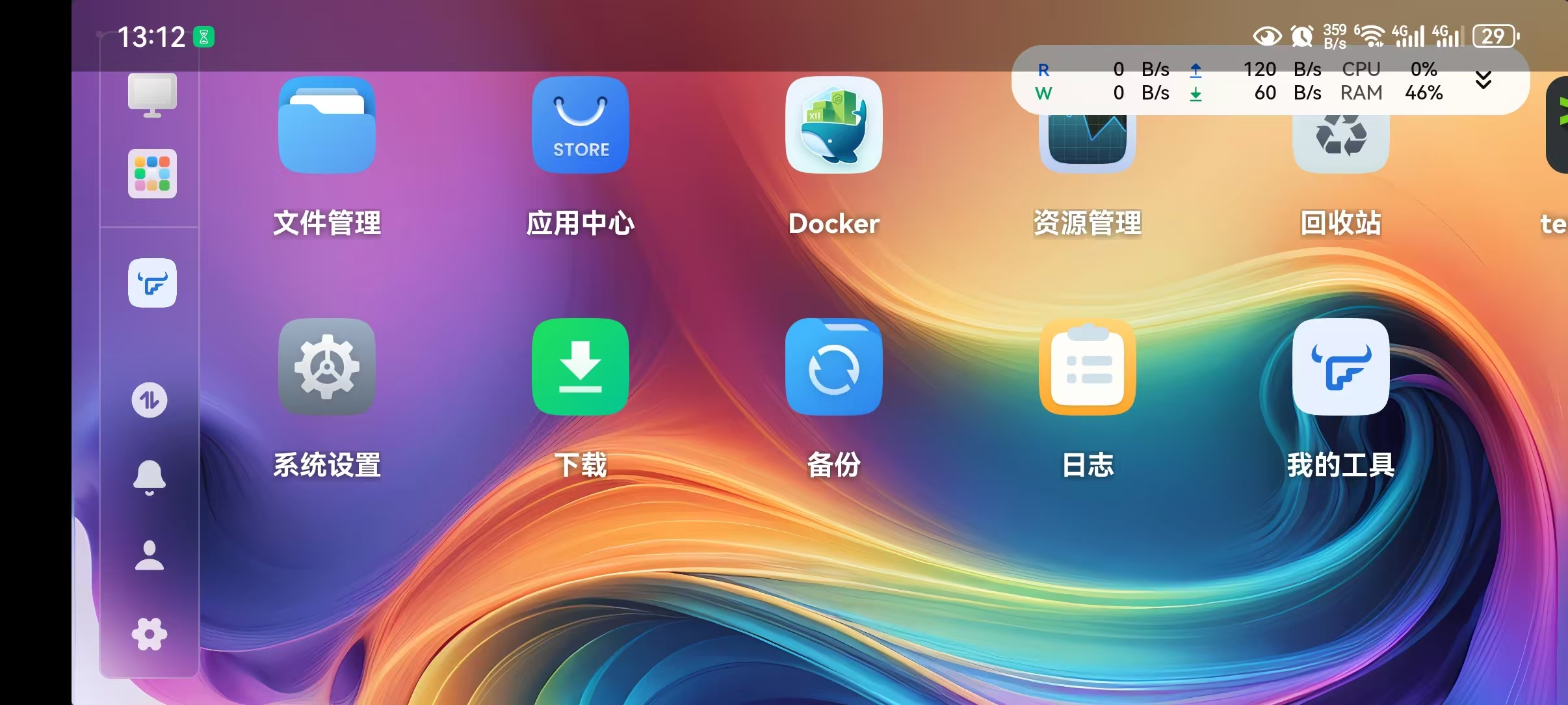
- 全屏
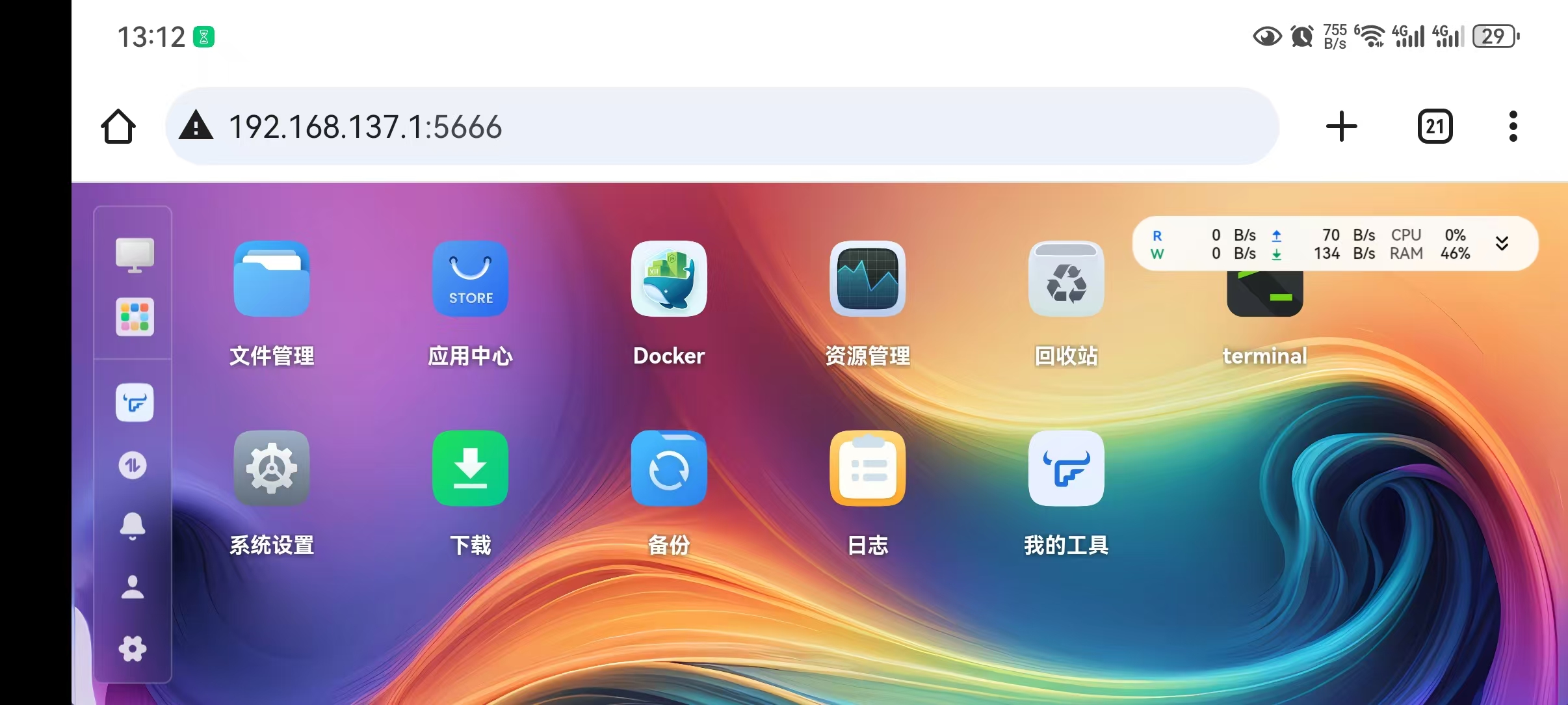
- 适配移动端, 显示右下角设置按钮
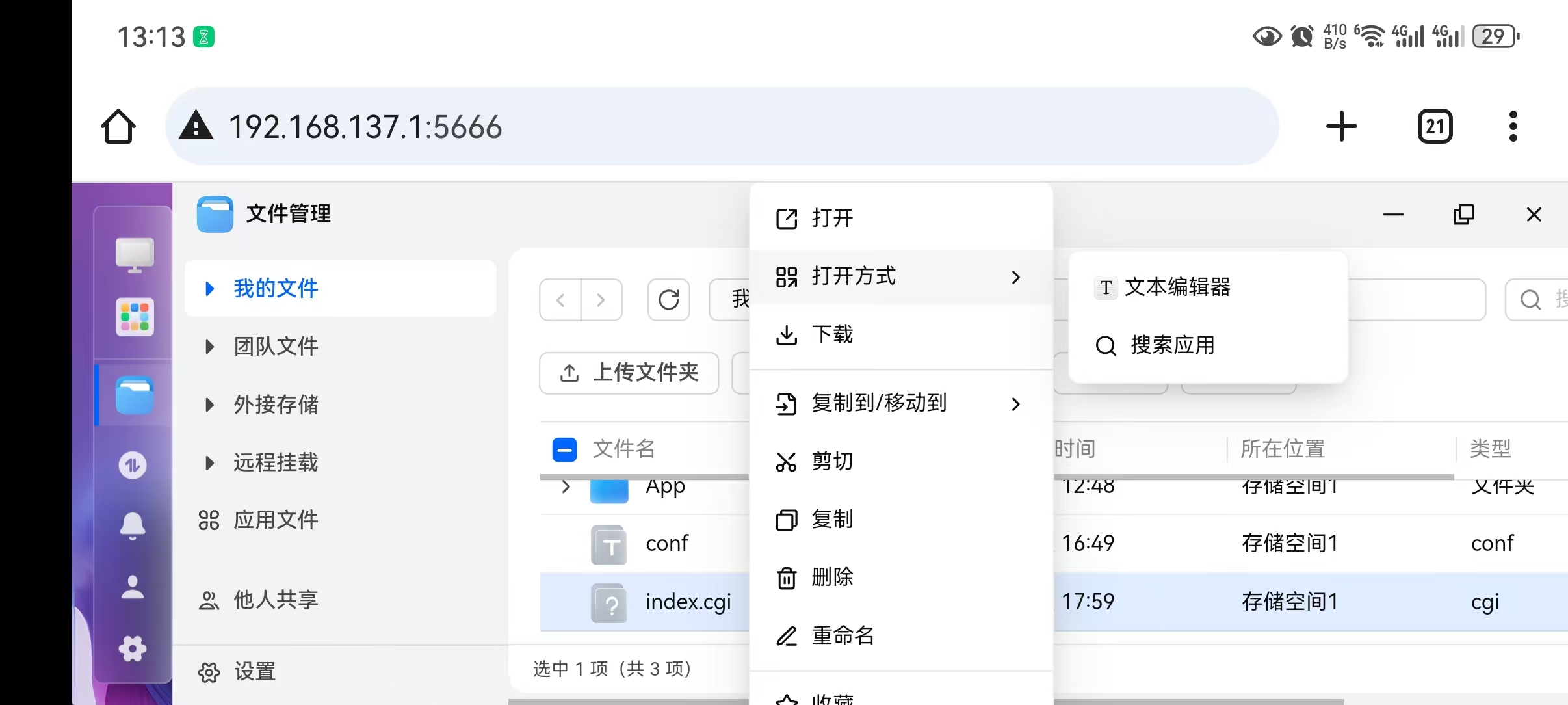
- 扩展编辑类型 新增cgi类型文件编辑
代码
mkdir /vol1/1000/App

cd /vol1/1000/App

fnpack create app.mytool

cd app.mytool

rm app/.DS_Store
rm app/ui/.DS_Store
rm app/ui/images/.DS_Store
cat > manifest << EOF
appname               = app.mytool
version               = 1.0.0
display_name          = 我的工具
desc                  = 移动端显示全屏;修复移动端底部未显示问题;补充官方编辑器可编辑类型;
arch                  = x86_64
source                = thirdparty
maintainer            = app.mytool
distributor           = app.mytool
desktop_uidir         = ui
desktop_applaunchname = app.mytool.Application
EOF

echo '{}' > config/resource
cat > cmd/main << EOF
#!/bin/bash

case \$1 in
start)
    exit 0
    ;;
stop)
    exit 0
    ;;
status)
    exit 0
    ;;
*)
    exit 1
    ;;
esac
EOF
cat > app/ui/config << EOF
{
    ".url": {
        "app.mytool.Application": {
            "title": "我的工具",
            "icon": "images/icon_{0}.png",
            "type": "iframe",
            "protocol": "http",
            "url": "/cgi/ThirdParty/app.mytool/index.cgi",
            "allUsers": true
        }
    }
}
EOF
cat > app/ui/index.cgi << EOF
#!/bin/bash

echo "Content-Type: text/html; charset=utf-8"
echo ""
cat /var/apps/app.mytool/target/www/index.html
EOF


cat > app/www/index.html << EOF


<!DOCTYPE html>
<html>
<head>
    <style>
        body {
            font-family: Arial, sans-serif;
            text-align: center;
            padding: 50px;
        }
        button {
            padding: 10px 20px;
            font-size: 16px;
            cursor: pointer;
            background-color: #4CAF50;
            color: white;
            border: none;
            border-radius: 4px;
        }
        button:hover {
            background-color: #45a049;
        }
        input[type="text"] {
            padding: 8px 12px;
            font-size: 16px;
            border: 1px solid #ddd;
            border-radius: 4px;
            margin: 0 8px;
        }
        input[type="text"]:focus {
            outline: none;
            border-color: #4CAF50;
            box-shadow: 0 0 0 2px rgba(76, 175, 80, 0.2);
        }
    </style>
</head>
<body>
    <div>
        <button onclick="toggleParentFullscreen()">切换全屏状态</button>
        <button onclick="fixH5Screen(this)">适配移动端</button>
    </div>
    <hr>
    <div>
        <label>扩展文本编辑类型(英文逗号分割):</label>
        <input type="text" id="typeInput">
        <button onclick="extendType(this)">应用</button>
    </div>
    <hr>
    <div>
        说明: <br/>
        切换全屏状态: 移动端下,可以隐藏顶部地址栏和通知栏<br/>
        适配移动端: 移动端下,在不调整大小的情况下,显示底部设置<br/>
        扩展文本编辑类型: 如index.cgi输入cgi,如config没有类型则输入config<br/>
        每次刷新界面,都需要再次点击按钮应用功能<br/>
        更新后功能可能会失效, 需要重新调整extend_type.js的代码
    </div>
    <script>
        function fixH5Screen(btn) {
            window.parent.document.querySelectorAll('.h-screen').forEach(e=> e.style.height = '100dvh');
            btn.innerText = '已应用';
        }

        function requestParentFullscreen() {
            const parentDoc = window.parent.document;
            const parentElement = parentDoc.documentElement;

            if (parentElement.requestFullscreen) {
                parentElement.requestFullscreen();
            } else if (parentElement.webkitRequestFullscreen) {
                parentElement.webkitRequestFullscreen();
            } else if (parentElement.msRequestFullscreen) {
                parentElement.msRequestFullscreen();
            }
        }

        function isParentFullscreen() {
            const parentDoc = window.parent.document;
            return parentDoc.fullscreenElement ||
                parentDoc.webkitFullscreenElement ||
                parentDoc.msFullscreenElement ||
                false;
        }

        function toggleParentFullscreen() {
            if (isParentFullscreen()) {
                if (window.parent.document.exitFullscreen) {
                    window.parent.document.exitFullscreen();
                } else if (window.parent.document.webkitExitFullscreen) {
                    window.parent.document.webkitExitFullscreen();
                } else if (window.parent.document.m**itFullscreen) {
                    window.parent.document.m**itFullscreen();
                }
            } else {
                requestParentFullscreen();
            }
        }
        function extendType(btn) {
            const extendType = document.getElementById('typeInput').value;
            if (!extendType) {
                return;
            }
            localStorage.setItem('app.mytool.extendType', extendType);
            if(window.parent.window.app_mytool_extendType){
                window.parent.window.app_mytool_extendType(extendType)
            }else{
                const script = window.parent.document.createElement('script');
                script.type = 'module';
                script.src = '/cgi/ThirdParty/app.mytool/extend_type.cgi';
                window.parent.document.head.appendChild(script);
            }
            btn.innerText = '已应用'; setTimeout(function(){btn.innerText='应用'},1000)
        }
        document.getElementById('typeInput').value = localStorage.getItem('app.mytool.extendType') || 'cgi,config';
    </script>
</body>
</html>


EOF
cat > app/ui/extend_type.cgi << EOF
#!/bin/bash

echo "Content-Type: application/javascript; charset=utf-8"
echo ""
cat /var/apps/app.mytool/target/www/extend_type.js
EOF

cat > app/www/extend_type.js << EOF

import {g3 as hn} from "/assets/index-Sd3kzNFy.js";

window.app_mytool_extendType = function(extendTypes){
    if(!extendTypes) return;

    let trim_text_editor = hn.state.fileApps.txt.filter(function(el){return el.appName == 'trim.text-editor'});
    if(!trim_text_editor || !trim_text_editor[0]) return console.log('not find trim.text-editor');

    trim_text_editor = trim_text_editor[0];
    extendTypes.split(',').forEach(function(extendType){
        extendType = extendType.trim();
        if(!extendType) return;

        let apps = hn.state.fileApps[extendType] || [];
        apps = apps.filter(function(app){return app.appName == 'trim.text-editor'});
        if(apps && apps[0]) return;

        hn.state.fileApps[extendType] = [trim_text_editor];
    })
}

app_mytool_extendType(localStorage.getItem('app.mytool.extendType'));


EOF
fnpack build




 2026-3-12 13:34:29


