折腾了2天 和ai沟通了无数轮。。终于解决了
问题描述
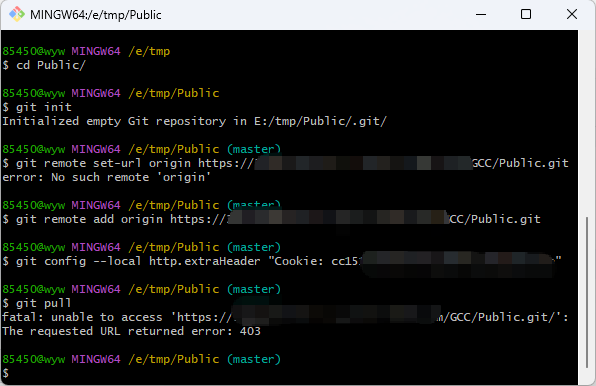
遇到的问题是在git中配置fn-connect暴露的地址 如https://gitea.{fnid}.fnos.net/{project}.git。 任何git操作都会报403
如果换成git@gitea.{fnid}.fnos.net/{project}.git的方式 则因为fn-connect 22端口不暴露连接不上。
通过curl -v分析发现其实根本没有连到gitea服务上去。
问题过程
但是直接通过nas里是能直接在浏览器打开gitea服务web页面的。经过对浏览器包分析 。发现起决定性作用的是-b 'entry-token=xxxxx; lang=zh-CN; i_like_gitea=498b457bb773e1a6; _csrf=xxxxxx'
也就是外网通过fnid远程访问代理的时候校验了这一层。
问题解决
和ai沟通后通过设置git命令的header解决
git config --local http.extraHeader "Cookie: xxxxx"
完整命令
cd {project-dir} --进入项目路径
git remote set-url origin https://gitea.{fnid}.fnos.net/{project}
在nas浏览器抓取gitea后台页面的Cooke 。
git config --local http.extraHeader "Cookie: xxxxx" --把cookie设置进去
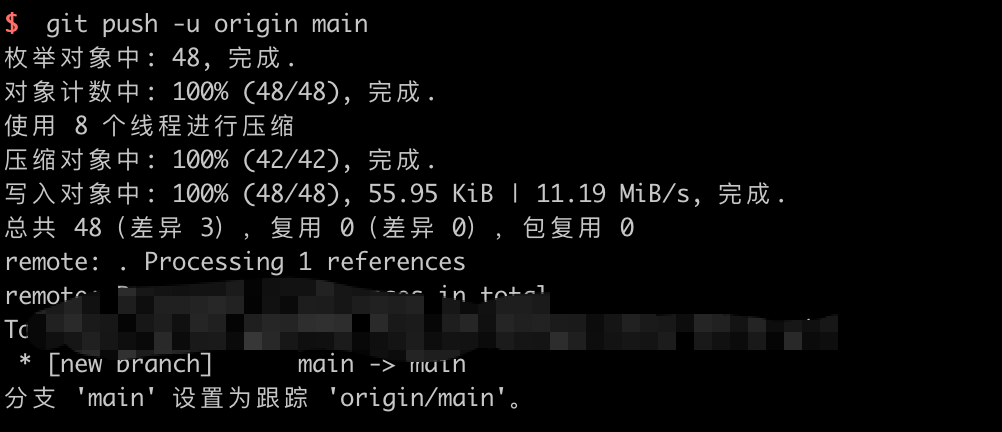
git push -u origin main --ok




 2026-4-23 14:16:14