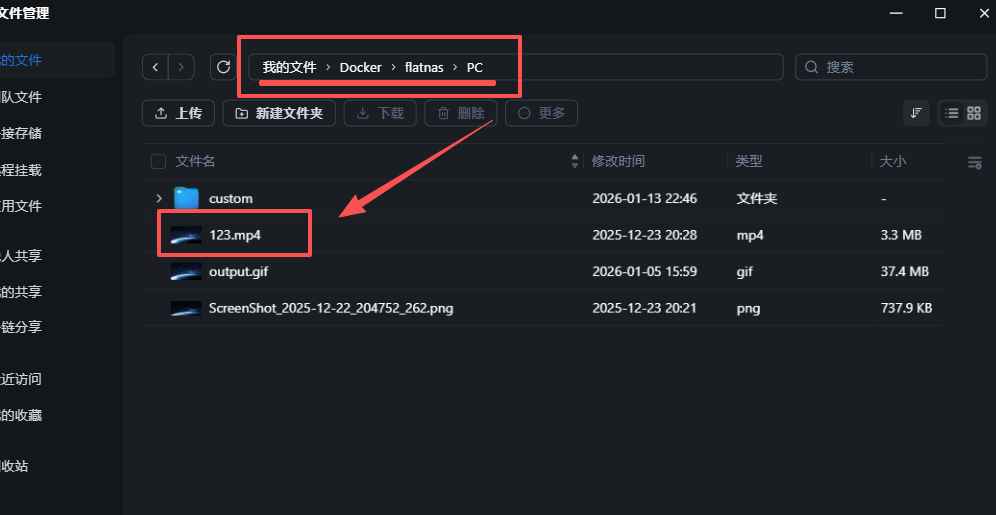
1.将视频上传至nas
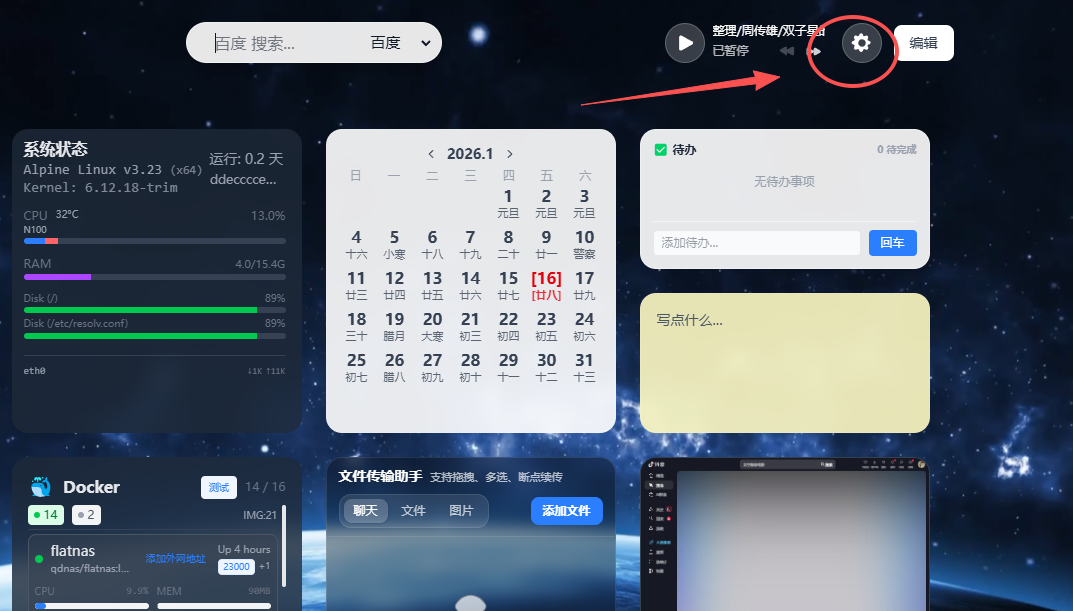
2.打开flatnas设置
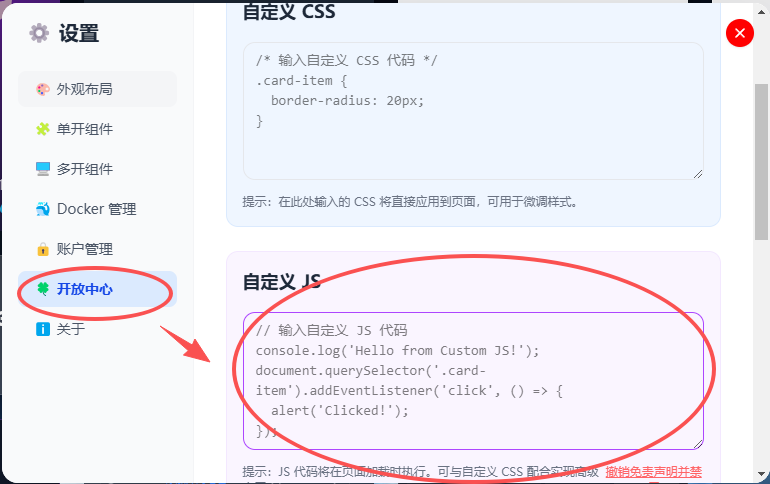
3.粘贴代码到自定义js中
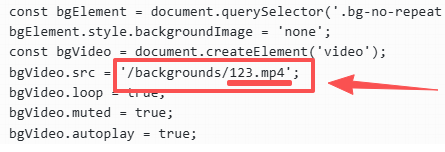
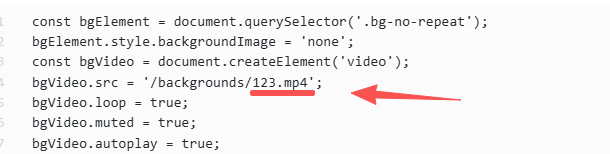
视频名称修改为你自己的,视频尽量不要超过10M,否则会卡顿
JS
const bgElement = document.querySelector('.bg-no-repeat');
bgElement.style.backgroundImage = 'none';
const bgVideo = document.createElement('video');
bgVideo.src = '/backgrounds/123.mp4';
bgVideo.loop = true;
bgVideo.muted = true;
bgVideo.autoplay = true;
bgVideo.style.cssText = `
  position: absolute;
  top: 0;
  left: 0;
  width: 100%;
  height: 100%;
  object-fit: cover;
  z-index: -1;
`;
bgElement.style.setProperty('position', 'absolute', 'important');
bgElement.style.setProperty('filter', 'blur(0px)', 'important');
bgElement.style.overflow = 'hidden';
bgElement.appendChild(bgVideo);
document.addEventListener('visibilitychange', () => {
  // 判断:页面从不可见变为可见(document.hidden 为 false)
  if (!document.hidden) {
    // 关键:调用 video.play() 主动恢复视频播放
    // 注意:play() 返回 Promise,可捕获潜在播放错误(可选)
    bgVideo.play().catch(err => {
      console.warn('视频恢复播放失败:', err);
    });
  }
});




 2026-1-16 22:37:19


 2026-1-17 14:47:06 楼主